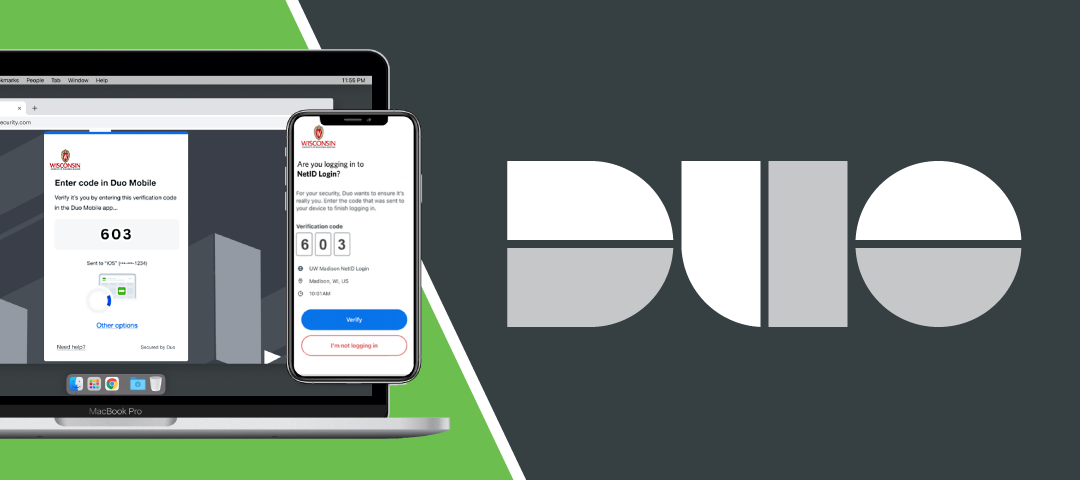
Update your Duo Mobile app by Mar 31
View this information in:
All UW–Madison students and employees must update their Duo Mobile app by March 31. After that date, older versions of the app will no longer work.
Update your mobile app today to keep your access to essential university systems — including your email, Canvas courses, Zoom meetings, timesheets, payroll and more.
What is happening: Duo Security will stop supporting older versions of its mobile app after March 31 to improve security. After that, older app versions will stop working for multifactor authentication.
Update your Duo Mobile app
- Open the App Store (iPhone/iPad) or Play Store (Android)
- Search for “Duo Mobile”
- Update the app
- iPhone or iPad: Tap the download icon next to Duo Mobile
- Android: Tap Update next to Duo Mobile
- Wait for the update to download and install
- Open the app to confirm it works
If you cannot update the app
Your phone’s operating system may be too old. The Duo Mobile app requires:
- iPhone & iPad: iOS 16 or newer
- Android: Android 12 or newer
How to check your operating system version:
- iPhone: Go to Settings, then General, then About, then iOS Version
- Android: Go to Settings, then About Phone, then Android Version
If your phone is too old to update
You have three options:
- Use a different phone or tablet that meets the requirements above
- Create backup passcodes before March 31 (Instructions for creating backup passcodes)
- Request a Duo security key fob from your Human Resources office, your IT department or from the DoIT Help Desk
How to get help
Contact the DoIT Help Desk:
- Email help@doit.wisc.edu
- Call 608-264-4357
Request translation support in Spanish, Hmong, Tibetan, Mandarin Chinese or Nepali:
Frequently asked questions
Why is this happening? Duo is ending support for older versions to improve security. Outdated versions will stop receiving security updates.
What happens if I do not update? After March 31, you will not be able to log in to university systems that require multifactor authentication. You will need to use backup passcodes or a Duo security key fob instead.
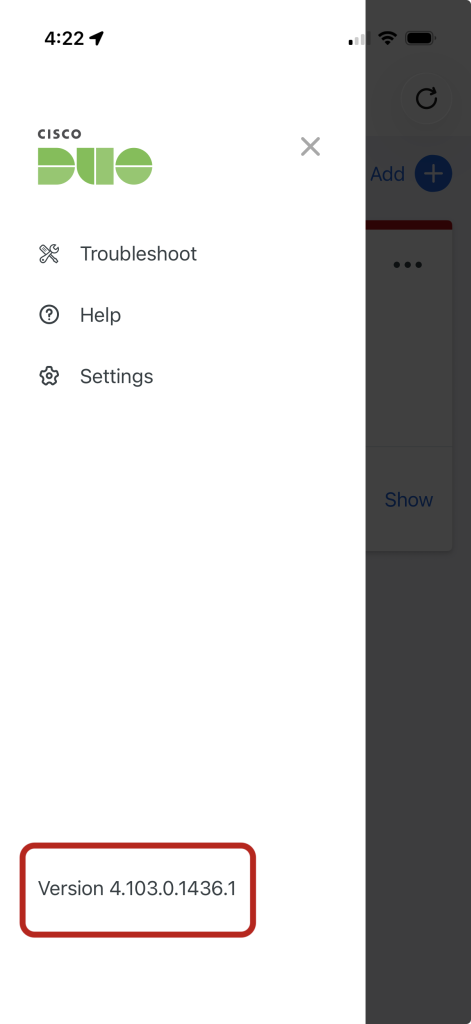
How do I check my app version?
- Open the Duo Mobile app on your mobile device
- Tap the ≡ menu icon (three horizontal lines) in the top-left corner
- The app version will be displayed in the bottom left corner
- If it shows a version earlier than 4.85.0, update now
Note: Version numbers can be tricky. The number 4.104.0 is newer than 4.85.0 because you compare each section separately (4 = 4, then 104 > 85).
Can I keep using my current phone? Yes, if your device can run at a minimum iOS 16.0 or Android 12. If not, use a different device or an alternative authentication method.
What do I do after I update the app? Nothing. You are ready to go.
Related Posts
New design tool: Adobe Express Higher Education
FREE for students! Create professional-quality graphics, videos and presentations — and gain access to over 200 million royalty-free Adobe Stock photos, videos, music tracks and design elements. New to design? No problem. Log in with your NetID to get started.
Learn how to safeguard data during Data Privacy Week
You can‘t always control how information is gathered or shared, but you can control how you treat and protect information — at work and at home.
InfoLabs: More than just a great place to study
Finals are coming up fast. And yes, InfoLabs have awesome study spaces, but there’s more! Learn about special software, equipment checkout and breakout rooms for group work — and then vote on what service you want us to cover next.