
Magnification is one of the 10 fundamental concepts that can support digital accessibility in all of your content.
People may magnify the screen or change window size and orientation to support low vision or reading on a smaller device.
To ensure equal access and a positive user experience, it is important that digital content can be enlarged without loss of information or functionality, and without requiring scrolling in two dimensions.
For any digital content that can be accessed via web browser, zoom in using the browser’s magnification tool and check that content resizes and reflows properly without getting cut off or requiring horizontal scrolling. Be sure to use high-quality, high-resolution images that won’t become fuzzy or pixelated at higher levels of magnification, and avoid using images of text. Test content at various window widths and magnification levels — you should be able to zoom in up to 400% without encountering problems.
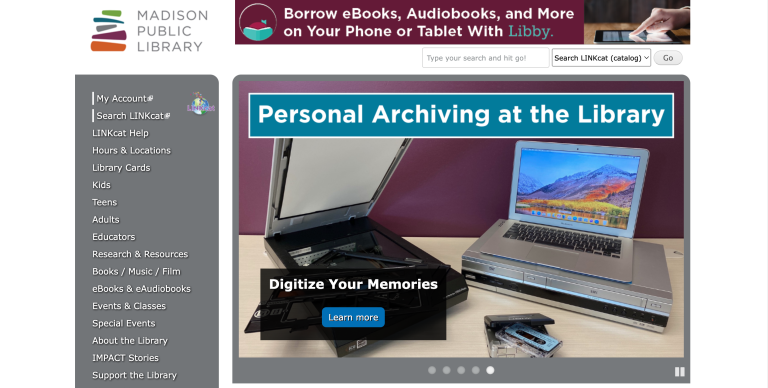
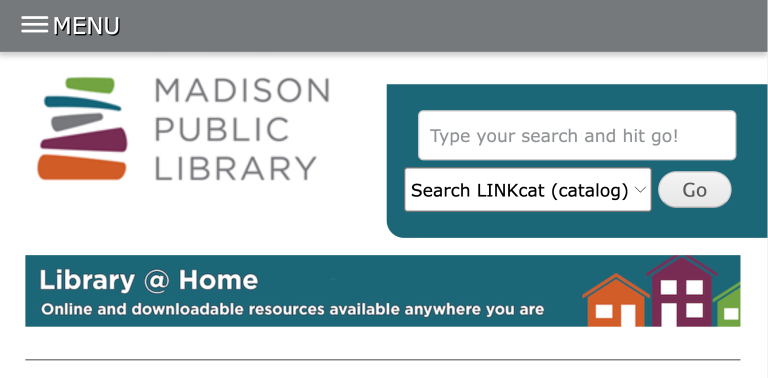
- Use high-quality images that won’t blur when magnified
- Avoid using images of text
- Give enough space between lines, paragraphs, and images to support magnifying content
Fundamentals







Download the checklist
Download our digital accessibility fundamentals checklist PDF to help you keep track of the core principles of accessibility while creating and editing digital resources.
The Center for User Experience
At the Center for User Experience, we are committed to working with you to make digital spaces more accessible, usable and inclusive for all students, faculty and staff at UW–Madison. We help the university follow its Digital Accessibility Policy by offering free evaluation and consultation services to all UW–Madison community members. For guidance on complying with digital accessibility requirements, visit Digital accessibility and the Americans with Disabilities Act (ADA).
Get in touch
- Meet with us: Book a quick chat with one of our team members to ask any questions you have.
- Start a project with us: We support accessible design and development. Fill out our Let’s Connect form to begin working with us on your project or to request an accessibility evaluation.
- Email us: Not sure if you’re ready to meet? Email us to start talking and figure out what to do next.