Center for User Experience
Designing for the university community
We partner with you to create more accessible, usable and inclusive digital spaces for all students, faculty and staff.
Let’s connect
We consult, design, research, and evaluate digital content for the university. If you are wondering how UX can help you, please fill out our form and we will reach out to learn how we can work together.
Make it accessible
Self-service accessibility
With these robust self-service guides, learn about many areas of digital accessibility, from accessible document creation to best practices in procuring accessible technology. Support all people, including people with disabilities.

What we offer
We can meet with you one-on-one to help you implement digital accessibility best practices and create usable experiences for people with disabilities in the UW–Madison community. We also offer weekly office hours sessions. These services are available free of charge to UW–Madison students, faculty, and staff.
The Center for User Experience (UX) Digital Accessibility Program provides accessibility evaluation and consulting services for university-created content and vendor products. Accessible digital resources are usable by people with disabilities and/or who use assistive technology.
The Center for UX can evaluate any digital experience, including websites, web applications, software being considered for procurement, multimedia assets, documents, PDFs, and presentations.
You will:
- Learn how accessible a digital resource is
- Understand how to make your digital resource more accessible
- Receive an evaluation report that describes any barriers found and a copy to share with vendors (if applicable)
Use the Center for UX contact form to request a free evaluation. For more information about the evaluation service, visit What to expect from digital accessibility evaluations.
The Center for UX’s Digital Accessibility Program provides accessibility evaluation of vendor products being considered for procurement by the university. The Digital Accessibility Program provides RFP, RFB, and other procurement evaluation groups with a high-level assessment of a vendor’s product.
You will:
- Learn how accessible a vendor product is before procurement
- Understand how to consider accessibility needs in your procurement process
- Get access to contract language to help advocate for accessibility with vendors following procurement (visit our Purchasing accessible technology guide)
- Receive an evaluation report that describes any barriers found and a copy to share with vendors
What we need from you:
- Access to an instance of the digital resource to be evaluated and representative data to test with.
- Access to the vendor name, product name, and vendor contact information.
- Product VPAT, link to accessibility features and product information.
- Access to the current or prospective Service Owner (name, department, division/school/college, and contact info).
- University use cases and task flows for how the university is using or intends to use the digital resource to be evaluated.
The Center for UX can review your digital experiences (websites, web applications, software or digital tools under consideration for procurement, etc.) using established interface design guidelines from Nielsen Norman. From this review, we can offer recommendations to help you focus on priority improvements.
What to expect from an expert review:
- An intake interview, done with the person (or people) who can best explain the goals of the website or app
- A report of findings and recommendations
- Supplemental resources for you to make the most of our recommendations
- A meeting to review recommendations and answer your questions
How we review:
- Our team uses a robust version of the Nielsen Norman usability heuristics (guidelines), to which we’ve added a basic accessibility check. For a full accessibility review, consider the Digital accessibility evaluation service.
- We limit the review to top pages and tasks. Typical ranges for the total cost run $1,500-$2,500.
A more effective website or app can help your users access the information they need and complete important tasks. It can also reduce the time and effort required to correct issues and provide support. Using proven research methods, we can identify pain points and learn what your users want. Our research can give you the data you need to make informed decisions about your website, app, or service.
What to expect from design research:
- Intake interviews with your stakeholders (the people who can best explain the goals of the website, app, or service) and your end users (the people who interact with your website or service and can provide feedback on their experience)
- A research plan that outlines the goals of the research and the best research methods
- A report of findings and recommendations
- A meeting to review recommendations and answer your questions
Options:
- Heuristic evaluation, also called an expert review, of a website based on best practices
- Usability testing and recommendations
- Learn about student, faculty, and/or staff feelings or expectations on a topic through discovery research
- Other research methods, which vary depending on the project goals
Our design strategy service helps you lay a strong foundation for effective, user-centered digital experiences. We can help you identify your users and their needs, and collaborate with you to create a digital experience that enables your users to navigate and engage with your app or website effectively, while also supporting your business goals.
What to expect from design strategy:
- Collaborative discovery sessions to understand your goals, audiences, and challenges
- User research to identify who your users are, what they need, and how they interact with your digital tools
- UX recommendations that align with your goals and enhance usability
- Support and consultation throughout the project to ensure the strategy stays aligned with evolving needs
Options:
- Digital strategy
- Ideation and design session facilitation
- UX design deliverables, including wireframes and prototypes
Other resources
We can consult with you for free for up to two hours about accessibility and/or user experience. Please fill out our contact form to chat with us.
Additional resources and training opportunities include:
- UW Design Community: We offer training, workshops and community-building opportunities through our Design Community
- Digital accessibility liaisons: Liaisons support accessibility work across campus. If your supervisor designates you as a liaison, complete our liaison form or learn more about the liaison role.
- Self-service user experience and accessibility: We maintain several guides for UX and accessibility. See our:
- Guides and Online Training
- Digital design principles for designing and delivering high-quality digital services
When do I need UX?
Here are a few scenarios when a UX architect is helpful:
- Starting a new project with good design practices and user feedback
- Defining the top goals for your application or website
- Prioritizing improvements
- Creating a strategy for your service based on data and insights from users
- Designing with inclusion and accessibility in mind
- Generating a holistic view of your product or service
Possible outputs include:
- Content strategy for your website
- Usability and accessibility evaluation
- Journey or empathy maps, service blueprints, or other UX mapping
- Interface design prototypes
See our work

Graduate School
Collaboration to improve the website’s information architecture and content strategy, based on user research.
Preparing for SOAR
Collaboration to redesign Preparing for SOAR, helping advisors and students with course selection and enrollment.

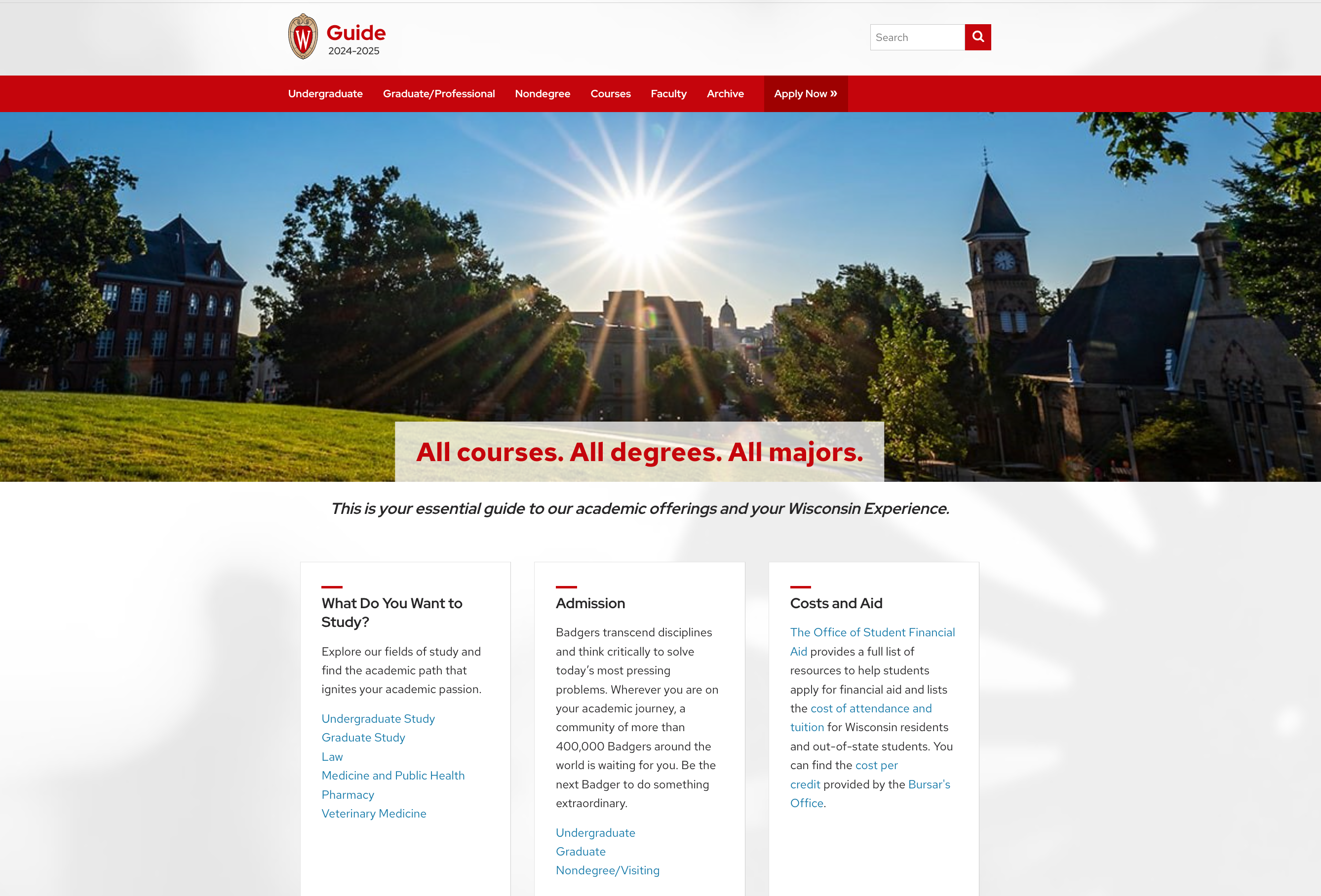
The Guide
Partnership to improve the content strategy and usability of The Guide for students and advisors.
Digital accessibility liaison network
The Center for User Experience and digital accessibility liaisons work together to make the university more accessible and inclusive. Liaisons are advocates for digital accessibility in their units. Liaisons can contact the Center for User Experience to let us know which digital resources and tools need evaluation and support. Every unit has to have at least one liaison identified, but there is not a limit on the number of liaisons a unit can have. Depending on the size of your unit, it may be helpful for a team of liaisons to share the work.
Being a liaison
Digital accessibility liaisons support their units by advocating for digital accessibility, communicating to their unit about the university’s digital accessibility resources, and connecting individuals to the Center for UX or Office of Compliance as needed.
The liaison directory
Digital accessibility liaisons are supported by the Center for UX, the ADA coordinators, and other university partners. Use the directory to find out who your liaison is when you have questions about accessibility efforts in your unit.
Resources for liaisons
Being a digital accessibility liaison will look different for everyone. There are available resources to help with this role. Resources include a training in Canvas, a toolkit with various guides and templates, and weekly office hours with the Center for UX.
Guides and resources

Make it accessible guides
In these how-to guides, learn about the fundamental best practices that can support digital accessibility in all of your content, including documents, websites, and course materials.

accessible.wisc.edu
A centralized location for all accessibility and disability resources at UW–Madison, both physical and digital.

IT accessibility and usability information (KnowledgeBase)
Information on what accessibility barriers exist in university technologies and how to get help.

Content design guides
Guidance on how to plan, create, and manage digital content that is accessible, usable, and meets the needs of your audience.
Who we are
Get help from the
Center for User Experience (CUE)
We partner with you to create accessible, usable and inclusive digital spaces through free evaluations and consultations.